Cpanel
How to change php version using MultiPHP Manager
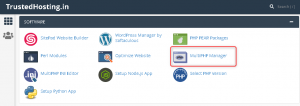
On your cPanel dashboard go to Multiphp Manger Mark the domain / subdomain name Select the PHP Version & Click on Apply Done Originally published on WebyStrata Blog.
- On your cPanel dashboard go to Multiphp Manger
- Mark the domain / subdomain name

- Select the PHP Version & Click on Apply
- Done
Originally published on WebyStrata Blog.
Related Articles